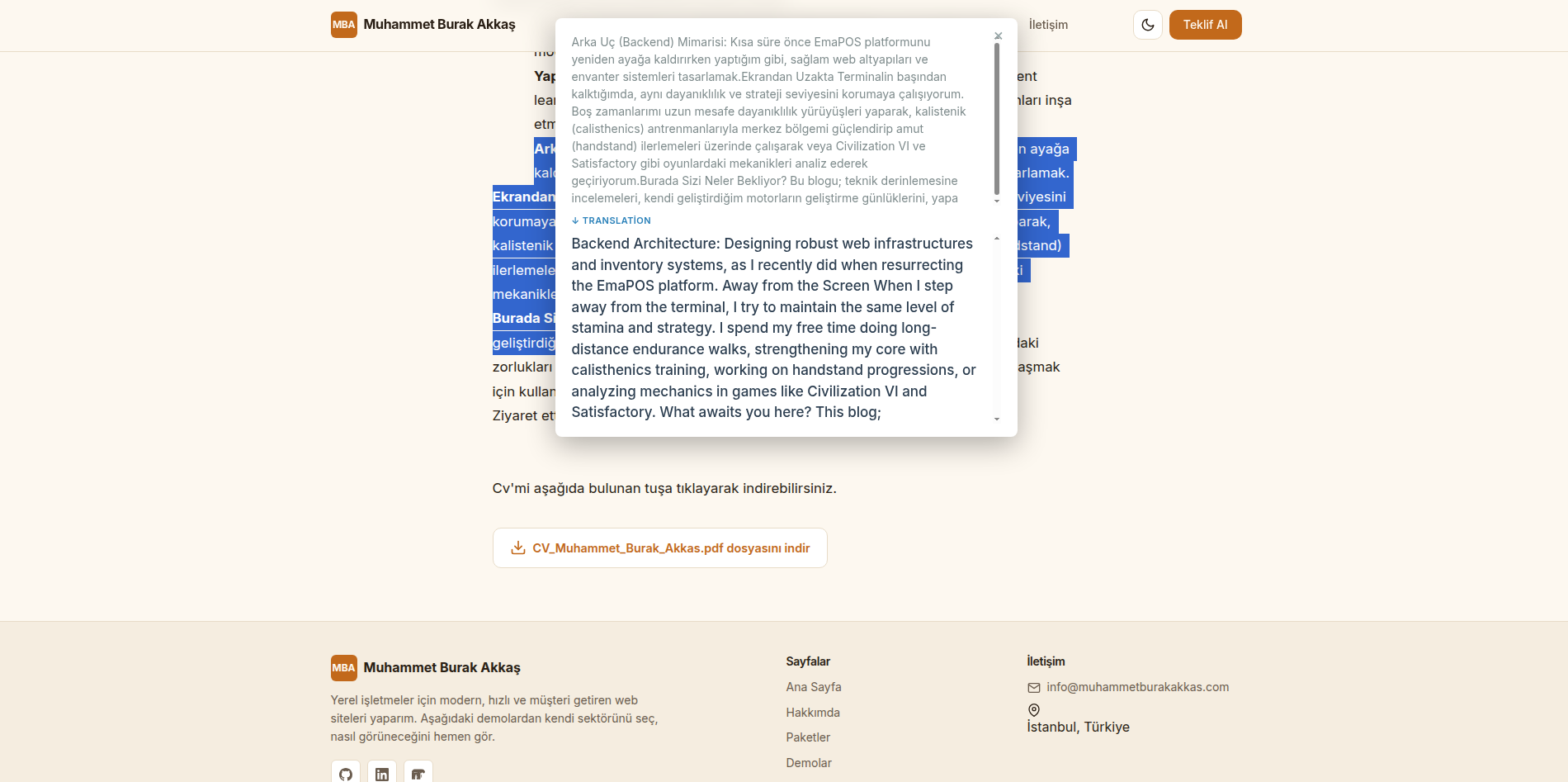
Introducing Translate-On-Hover: A Custom Translation Extension
When you are reading a document, a book, or technical documentation in a foreign language, coming across an unknown word breaks your focus. You usually have to copy the word, open a new tab, search for Google Translate, paste it, and then go back to your text. Doing this again and again is incredibly slow and frustrating.
To solve this, I built Translate-On-Hover—a Chrome extension that translates text directly on your current page.
Watch the Guide
1. Download the Extension
You can download the latest stable version of the extension directly from this page.
- Scroll down to the very bottom of this article and click the download button to get the source code
.zipfile.
2. Extract and Save the Files
- Create a new folder on your computer and name it
Translate-on-Hover. - Extract the downloaded
.zipfile into this folder. - Important: Move this folder to a permanent location (like your
DocumentsorFilesfolder). If you delete or move this folder later, the extension will break and stop working in Chrome.
3. Load the Extension into Chrome
- Open Google Chrome and type
chrome://extensions/in the address bar. - In the top right corner, toggle on Developer mode.
- Click the Load unpacked button in the top left.
- Select the
Translate-on-Hoverfolder you extracted earlier. The extension is now installed!
4. Configure Your API Key
To make translations work, you need to connect an API.
- Open the extension's settings.
- Select your target language.
- Enter your translation API key. You can use the free Google Translate API, but be careful not to send too many rapid requests, or Google may temporarily block your access. Alternatively, you can use premium APIs if you have them.
- You can easily copy and paste the free Google API key provided right below this section.
- Click Save and refresh your page.
Pro-Tip: While the extension is called "Translate-on-Hover," I highly recommend going into the settings and changing the mode to "Translate on Click." It is much safer and prevents the extension from translating things accidentally when you are just moving your mouse across the screen.